For years, we’ve been trained to communicate with computers through a keyboard.
Need help? Type.
Need information? Type.
Need to explain a problem? Type a really long message and hope you included all the important details.
But AI is quietly changing that.
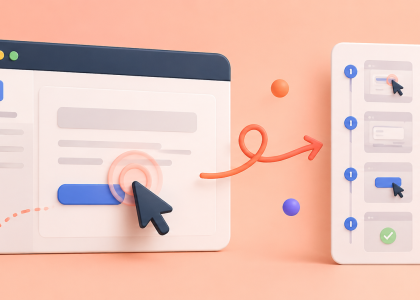
Modern AI tools can understand screenshots, photos, documents, charts, handwritten notes, websites and user interfaces. In many situations, showing is now faster than explaining.
And once you start using AI this way, it’s surprisingly difficult to go back.
Example 1: Stop Explaining Error Messages
Imagine you’re trying to export a video.
Suddenly an error appears.
Most people do something like this:
- read the error
- copy the text
- paste it into Google
- open five forum posts
- discover three different solutions
- try all of them
- hope one works
Instead, take a screenshot and upload it to AI.
Not only can it read the error message, but it can often understand the context around it:
- which software you’re using
- which settings are visible
- what you’re trying to do
- which button you probably clicked
The result is usually a much more relevant answer than a generic search result.
Example 2: Turn a Spreadsheet Into Plain English
We’ve all received that spreadsheet.
Hundreds of rows.
Dozens of columns.
No explanation.
Just a message:
“Can you take a look?”
Instead of manually searching for patterns, upload a screenshot or the spreadsheet itself and ask AI:
- What stands out?
- Are there unusual values?
- What trends do you see?
- Which numbers deserve attention?
- Summarize this for a non-technical person.
Within seconds, AI can provide a first-pass analysis that would otherwise require several minutes of scanning and filtering.
It’s not replacing human judgment.
It’s eliminating the boring part that comes before it.
Example 3: The PDF Shortcut
Most business documents are much longer than they need to be.
Contracts.
Reports.
Meeting notes.
Proposals.
Research papers.
Policies.
People often start reading from page one and work their way through every paragraph.
But AI allows a different approach.
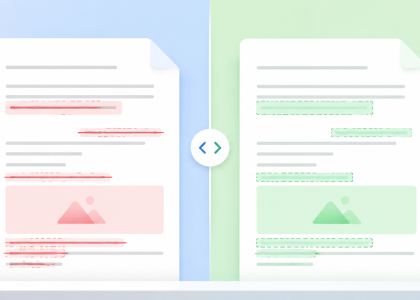
Upload the document and ask:
- What are the key takeaways?
- Are there any deadlines?
- What actions are required?
- What risks should I pay attention to?
- Summarize this in five bullet points.
You still decide whether the document deserves a full read.
But now you’re entering it with context instead of starting completely blind.
Example 4: Ask Questions About Screenshots
This might be the most underrated use case of all.
Take a screenshot of:
- a dashboard
- an analytics report
- a website
- a social media profile
- a presentation slide
- a Canva design
- an ad creative
Then simply ask:
“What’s working here?”
or
“What would you improve?”
AI can often identify things you would have missed entirely.
Example 5: Handwritten Notes Finally Become Useful Again
Many people still brainstorm best on paper.
The problem comes later.
The notebook fills up.
Ideas disappear.
Nothing gets organized.
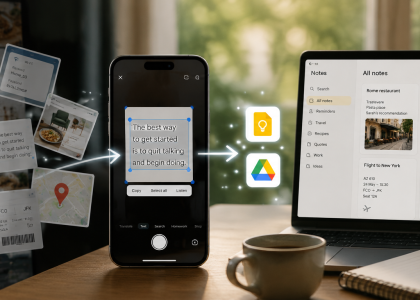
Today you can simply photograph a page of handwritten notes and ask AI to:
- transcribe it
- organize it
- create a task list
- turn it into an article outline
- build a project plan
What used to be a pile of messy notes suddenly becomes something actionable.
The Real Productivity Hack
The biggest benefit isn’t that AI can read images.
It’s that images contain context.
When you write:
“My video export looks weird.”
AI has almost no information.
When you upload a screenshot, AI can see:
- the software
- the timeline
- the export settings
- the error messages
- the visible controls
In other words, one screenshot can contain more useful information than ten paragraphs of text.
The Bigger Shift
For decades, the keyboard was the primary way we interacted with computers.
But AI is making cameras, screenshots and uploaded files just as important.
We’re moving from:
“Let me explain this problem.” to “Let me show you this problem.”
And that’s a surprisingly big shift.
The next time you’re about to spend five minutes writing a detailed explanation, try taking a picture instead.
Your AI might understand it instantly — and save you a lot of typing along the way.