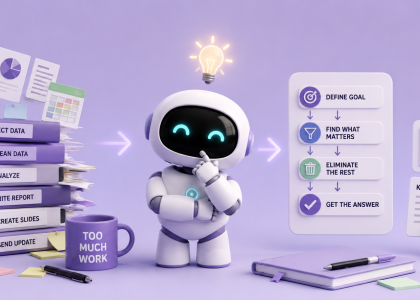
There’s a weird thing happening with AI right now.
Most people still use it like a faster Google search or a content machine.
But one of the most underrated uses of AI?
Turning chaos into clarity.
Because honestly, “looking organized” usually doesn’t mean having a perfect Notion setup, color-coded calendar, or a 5 AM routine involving lemon water and suffering.
Most of the time, it simply means:
knowing what matters
communicating clearly
making decisions faster
and not sounding overwhelmed in every email and meeting
And AI is surprisingly good at helping with exactly that.
So here are 10 prompts we genuinely keep coming back to — for planning, summaries, emails, meetings, projects, and general “my brain has 47 tabs open” situations.
1. Turn Chaos Into an Action Plan
Perfect for:
brain dumps, overwhelming notes, random thoughts, giant to-do lists.
Paste everything that’s floating around in your head and use:
“Turn this into a clear action plan. Group similar ideas together, remove duplicates, prioritize what matters most, and give me the first 3 actions I should take today.”
This is probably one of the simplest but most effective AI prompts ever.
Because your brain often doesn’t need more information.
It needs structure.
2. Rewrite My Email So I Sound Clear and Competent
Perfect for:
client emails, uncomfortable replies, long explanations, professional communication.
“Rewrite this email so it sounds clear, confident, professional, and easy to skim. Keep it friendly but concise.”
AI is weirdly good at removing unnecessary fluff and emotional chaos from emails.
Especially useful after writing a 900-word response that could’ve been 4 sentences.
3. Summarize a Meeting Like a Project Manager
Perfect for:
Zoom calls, transcripts, voice notes, workshops, brainstorm sessions.
“Summarize this meeting into:
key decisions
action items
responsible people
deadlines
unanswered questions”
Most meetings create more confusion than clarity.
This helps turn “we talked for an hour” into actual next steps.
4. Prioritize My Entire Week
Perfect for:
feeling constantly busy but somehow still behind.
“Here’s everything I need to do this week. Prioritize it based on urgency, impact, and effort. Then create a realistic daily plan that avoids burnout.”
A surprisingly helpful way to stop treating every task like it’s equally important.
Because it isn’t.
5. Turn Random Ideas Into Usable Concepts
Perfect for:
content ideas, side hustles, startup concepts, unfinished thoughts.
“Take these rough ideas and turn them into organized concepts with:
a short explanation
target audience
possible title/name
first next step
potential problems”
This is especially good when your notes app starts looking like conspiracy evidence.
6. Create a Decision Matrix
Perfect for:
overthinking decisions for 3 business days.
“Help me decide between these options. Compare them based on:
cost
time required
potential upside
risk
long-term value
Then recommend the best option and explain why.”
One of the best uses of AI is not replacing thinking —
but organizing thinking.
7. Turn Notes Into a Clean Summary
Perfect for:
research, articles, learning, long PDFs, messy copy-pastes.
“Summarize this into clear bullet points with only the most important information. Remove repetition and unnecessary details.”
Simple. Extremely effective.
Especially when the internet insists on turning every answer into a 14-minute life story.
8. Build Me a Step-by-Step Workflow
Perfect for:
new projects, automations, complicated tasks, repetitive work.
“Create a step-by-step workflow for this task. Include tools, order of operations, estimated time, and ways to simplify or automate parts of the process.”
This is where AI starts feeling less like a chatbot and more like a second brain.
9. Explain What Actually Matters Here
Perfect for:
information overload.
“What are the 20% of things here that will create 80% of the results? Ignore low-impact tasks and focus only on what truly matters.”
The internet constantly pushes people toward doing more.
But AI becomes genuinely useful when it helps you do less — better.
10. Turn This Into Something Presentable
Perfect for:
reports, proposals, presentations, client docs, messy drafts.
“Organize this into a polished document with:
headings
logical structure
concise wording
clear formatting
action-oriented conclusions”
This prompt alone can make rushed work suddenly look surprisingly professional.
Bigger Picture
One of the most interesting things about AI right now is that its biggest productivity advantage often has nothing to do with raw speed. In many cases, the real benefit is simply reducing mental clutter — helping people organize thoughts faster, prioritize better, and spend less time feeling stuck between endless tabs, notes, and unfinished tasks.
And honestly, most “organized” people probably aren’t superhuman productivity machines. They just have systems that help them reduce overwhelm and make decisions faster. AI is quietly becoming one of those systems.