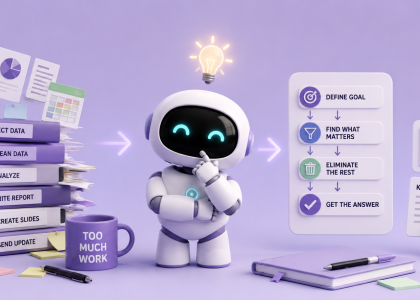


The vast majority of professionals are stuck using artificial intelligence in a frustrating loop of perpetual amnesia. The standard routine is intimately familiar: you open ChatGPT, type out a long-winded setup explaining your company or client background, receive an answer, and close the tab.
The following morning, you open a fresh window and spend ten minutes re-explaining your entire existence all over again.
Treating AI as a series of disconnected, single-use interactions is not only exhausting—it completely undermines the technology’s real productivity power.
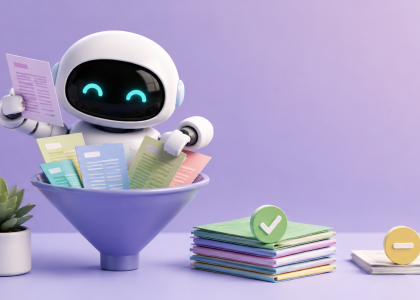
The secret to unlocking actual leverage lies in shifting from isolated chats to dedicated, reusable AI workspaces. Instead of wiping the slate clean with every interaction, you build persistent environments tailored to the specific projects, clients, and workflows you handle on a recurring basis.
When an AI operates within a dedicated context, it stops acting like a forgetful assistant and starts operating like a permanent member of your team.
Designing Your Core Workspaces
Consider how much time you waste providing background details for routine tasks. By setting up distinct workspaces loaded with baseline documentation, your prompts shrink from detailed paragraphs to short, direct commands.
- Client Management: Instead of retyping brand details every week, load a specific client’s space with their website content, brand guidelines, target audience demographics, and examples of past successful work. A prompt as simple as “Draft three LinkedIn posts for next week” instantly yields accurate, aligned results.
- Marketing & Newsletters: Store your core brand voice, past campaign performance, target customer profiles, and a master list of previously covered topics. The AI will naturally avoid repetitive ideas and maintain a consistent narrative style.
- Research & Strategy: Feed the environment key industry reports, trusted sources, project goals, and niche terminology. This keeps the AI focused exclusively on verified contexts rather than broad, generic internet knowledge.
- Operations & Meetings: Keep ongoing project backgrounds, key stakeholder lists, running action items, and standardized templates ready to go for instant briefing and follow-ups.
Show, Don’t Tell: The Power of Examples
The biggest mistake people make when configuring these workspaces is over-indexing on descriptive adjectives.
Prompting an AI with commands like “Write in a tone that is professional yet casual, engaging but not over-the-top, authoritative yet friendly” almost always results in flat, robotic prose. AI models struggle to translate vague stylistic qualifiers into action.
Instead, feed your workspace concrete reference material.
Provide three to five real-world writing samples that reflect the exact tone and structure you want. Then, instruct the system:
“Analyze these examples to identify key patterns in tone, vocabulary, sentence structure, and formatting. Adopt these patterns as your default writing style for all future tasks in this project.”
Showing the model what excellence actually looks like eliminates the need for endless stylistic corrections later.
The Anatomy of Default Instructions
To make a workspace truly self-sustaining, it needs a clear framework. Every persistent space should be configured around five foundational questions:
- Objective: What specific goals are we trying to accomplish in this space?
- Audience: Who is the end recipient or customer of this work?
- Quality Bar: What specific attributes define a successful output?
- Guardrails: What topics, phrasing, or formatting choices should be strictly avoided?
- Memory: What static facts or references must the system always retain?
Once these parameters are established, your daily operational effort drops drastically.
You no longer need to write: “I am drafting a weekly newsletter for non-technical managers focusing on emerging AI tools, and it needs to be concise…”
You simply type:
“Give me five topic ideas for Tuesday’s edition.”
Optimize the Environment, Not Just the Prompt
Prompt engineering courses often teach people how to write massive, hyper-complex inputs to get a single good response.
But true efficiency follows the 99% rule: stop trying to optimize every individual prompt, and start optimizing the environment where those prompts live.
Spending twenty minutes setting up a contextual workspace once will save you from giving hundreds of repetitive explanations over the coming months.
The most productive AI conversation isn’t the one where you spent ten minutes crafting the perfect prompt—it’s the one where you typed six words, and the AI already knew exactly what you meant.