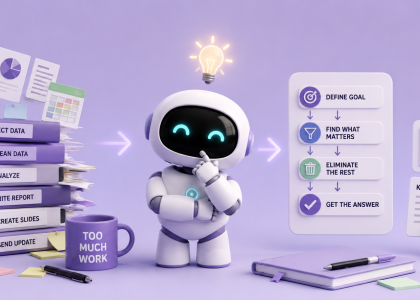


There are approximately 47 billion AI productivity tools now.
We may have invented an entirely new productivity problem: spending two hours researching tools that promise to save us 20 minutes.
So forget the giant lists.
Here are five tools that solve five very specific annoying problems.
1. Granola — Stop Taking Meeting Notes
You’re in a meeting. Someone says something important.
You start typing it down.
While you’re typing, somebody says something else important.
Excellent system.
Granola acts like an AI notepad for meetings. It captures the conversation and combines the transcript with any notes you take yourself to generate structured notes afterward.
The useful part isn’t simply transcription.
You can actually pay attention to the meeting.
Write down only the things you think matter and let Granola fill in the details afterward.
The boring work it removes: transcription, meeting summaries and hunting through notes afterward.
One important caveat: meeting transcripts can contain sensitive information, so check your sharing and privacy settings before throwing confidential conversations into any AI meeting tool. Granola’s sharing defaults have previously attracted criticism for exactly this reason.
2. Reclaim — Stop Playing Tetris With Your Calendar
Your calendar says you have three free hours today.
Reality says you have seventeen 20-minute gaps in which you can accomplish absolutely nothing.
Reclaim.ai is an AI calendar assistant designed to automatically protect focus time and reorganize tasks, meetings and routines when priorities change. Its newer Reclaim 2.0 assistant can identify conflicts and suggest better ways to structure your week.
Instead of manually moving “Finish proposal” from Tuesday to Wednesday to Thursday to the mysterious land called Next Week, Reclaim keeps finding room for it.
The boring work it removes: calendar rearranging and repeatedly rescheduling tasks.
3. Gamma — Stop Building Slides One by One
PowerPoint has given humanity many things.
Including the opportunity to spend 25 minutes moving a textbox three pixels to the left.
Gamma takes an idea, outline or existing content and turns it into presentations, documents and other visual content. It can also export presentations to PowerPoint and Google Slides.
The best way to use it isn’t necessarily:
“AI, make my entire presentation.”
Give it your actual thinking first—your notes, structure and key points—and let it handle the first visual draft.
Then fix what matters.
The boring work it removes: blank slides, initial layouts and repetitive formatting.
4. Perplexity — Stop Opening 27 Browser Tabs
You know the research workflow.
Google something.
Open twelve tabs.
Read three.
Forget why you opened five.
Discover that two say exactly the same thing.
Eventually find the answer in tab number 11.
Perplexity approaches the problem differently: ask a research question and it searches sources, synthesizes what it finds and provides references you can inspect.
Its Research mode goes considerably further, performing multiple searches and analyzing large numbers of sources before producing a report.
For serious research, you should still open and verify the important original sources.
But you no longer have to personally discover every source from scratch.
The boring work it removes: initial searching, tab chaos and repetitive information gathering.
5. Make — Stop Moving Information Between Apps
This one attacks perhaps the stupidest category of modern work:
moving information from one computer program into another computer program.
Someone submits a form.
You copy the information into a spreadsheet.
Create a task.
Send an email.
Update another system.
Congratulations. You have become an API.
Makelets you visually connect apps, data sources and AI models so those workflows happen automatically. It currently advertises more than 3,000 integrations and allows automations to be built visually, with code, or increasingly through prompts.
A simple workflow could look like:
New form submission → AI summarizes request → create task → notify team → draft response.
You intervene only where human judgment is actually useful.
The boring work it removes: copy-paste work between apps.
The Lazy Person’s Rule
Don’t install all five.
That’s exactly how we got into this mess.
Instead, look at your normal working week and ask:
What repetitive thing annoys me most?
Meetings → Granola
Calendar → Reclaim
Presentations → Gamma
Research → Perplexity
Repetitive workflows → Make
Pick one.
Use it for a week.
If it genuinely removes work, keep it.
If using the productivity tool becomes another job you have to manage, delete it.
Because the best AI productivity tool isn’t necessarily the smartest one.
It’s the one that makes something disappear from your to-do list.