For years, Any Video Converter was known as exactly what its name suggests—a reliable tool for converting videos from one format to another.
Not particularly exciting.
Just useful.
But over the past year, the software has quietly added a collection of AI-powered video enhancement tools that make it much more than a converter.
If you’ve ever looked at an old video and wished it were sharper, cleaner, or simply looked like it belonged in this decade, this might be worth a look.
AI That Actually Improves Video
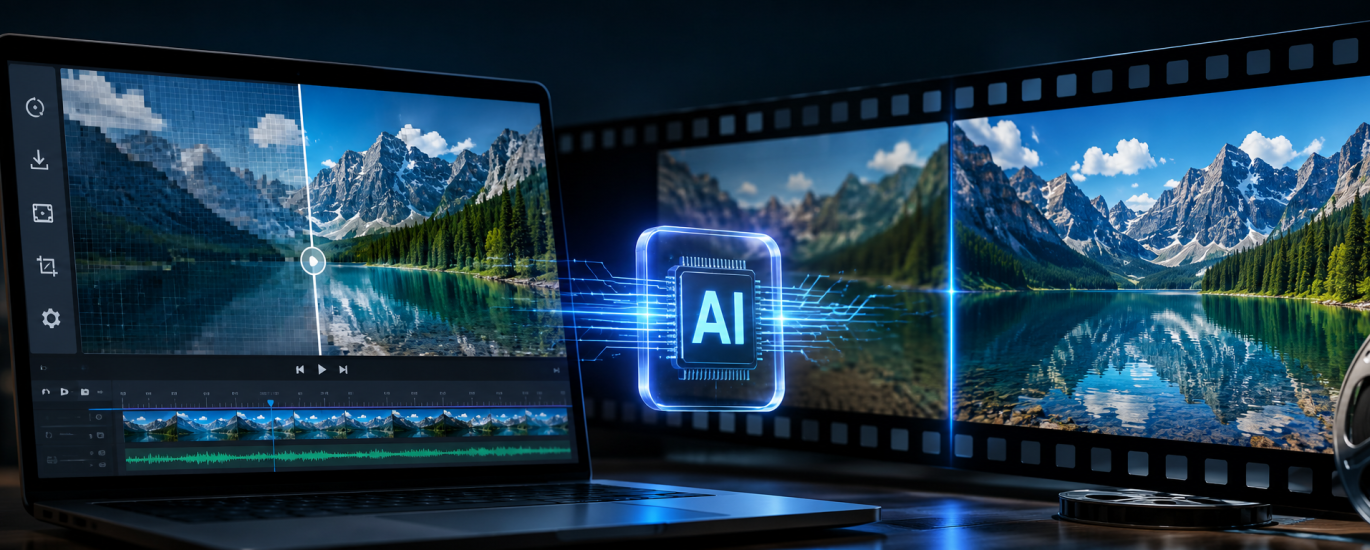
The headline feature is AI Video Upscaling.
Instead of simply enlarging a video—which usually makes everything look softer and more pixelated—the AI analyzes every frame and attempts to reconstruct missing detail.
The software can upscale footage up to 4K, while also:
- reducing image noise and grain
- removing compression artifacts
- sharpening blurry footage
- improving overall clarity
- restoring older or low-quality videos
It’s not magic. AI can’t invent detail that never existed.
But according to many users, the results are surprisingly good, especially for smartphone videos, old home movies, YouTube downloads, and heavily compressed clips.
How Does It Compare?
The obvious comparison is Topaz Video AI, which is widely considered the gold standard for AI video restoration.
Topaz generally produces the best results—but it’s also significantly more expensive and aimed at professionals.
That’s where Any Video Converter finds its niche.
It won’t replace high-end restoration software for film studios or professional editors, but it offers many of the same everyday AI enhancement features in a much more affordable package.
Other competitors include:
- CapCut AI Enhance
- HitPaw VikPea (formerly Video Enhancer)
- AVCLabs Video Enhancer AI
- UniFab AI
- Wondershare UniConverter
Among these, Any Video Converter stands out because it combines AI enhancement with a full suite of practical video tools instead of focusing on just one feature.
What Are People Saying?
Browsing user reviews and forum discussions reveals a fairly consistent pattern.
People aren’t calling it the most powerful AI video enhancer on the market.
But they do appreciate how much it offers in a single application.
Users frequently praise:
- the simple interface
- fast processing
- support for hundreds of video formats
- batch conversion
- good value for money
- surprisingly capable AI enhancement for everyday use
The biggest criticism?
If you’re expecting Hollywood-level restoration, you’ll probably be disappointed.
Fine details can sometimes look artificial, and the AI isn’t always perfect when dealing with extremely damaged footage.
Still, most reviewers agree that for typical consumer videos, the improvements are noticeable.
Why This Matters
AI video enhancement is becoming one of the most practical uses of generative AI.
Millions of people have old family recordings, low-resolution smartphone videos, compressed social media clips, or archived content they’d like to reuse.
Just a few years ago, improving those videos required expensive software and hours of manual editing.
Now, much of the work can be done automatically.
As AI continues to improve, we’re likely to see video enhancement become a standard feature rather than a premium extra.
Should You Try It?
If you’re a professional filmmaker restoring valuable footage, Topaz Video AI is still the benchmark.
But if you’re a content creator, YouTuber, marketer, teacher, or simply someone who wants older videos to look better without spending a fortune, Any Video Converter AI is an impressive all-rounder.
Sometimes the best AI tool isn’t the one with the most advanced technology.
It’s the one you’ll actually use.