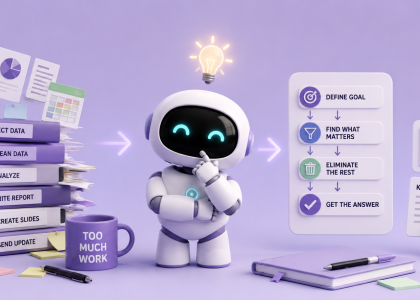
Research with AI can feel wonderfully efficient right up until you realize you have collected 14 tabs, three contradictory statistics, two reports you have not read, and one very confident answer based on a blog written by someone called “CryptoSteve92.”
The problem is not always finding information. The internet has plenty of information. The problem is deciding which sources deserve your attention, then turning them into something you can actually use.
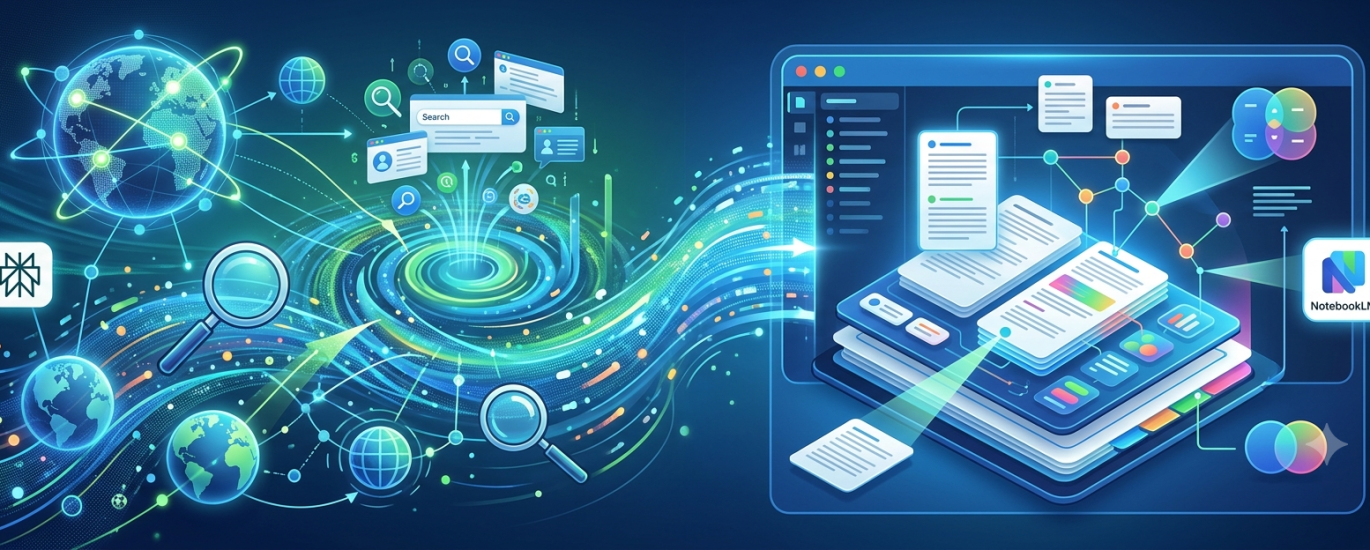
That is where a simple two-tool workflow helps: Use Perplexity to search broadly and find the sources, then use NotebookLM to work deeply with the sources you trust.
Perplexity acts as the scout. It searches the web, summarizes what it finds, and provides links to the original sources so you can check where each claim came from. NotebookLM becomes the analyst. You give it a controlled collection of documents, websites, videos, or notes, and it answers questions based on that selected material.
One tool explores the internet. The other helps you stop exploring the internet before the internet destroys the rest of your afternoon.
Why Not Just Use One AI for Everything?
You can. You can also use a teaspoon to eat spaghetti. The question is whether it is the best tool for every stage of the job.
A web-connected AI is useful when you do not yet know which sources matter. It can search across many websites, compare perspectives, and help you discover reports, studies, official documentation, and recent developments.
But broad search results can become messy. NotebookLM works differently. Rather than searching the open web every time you ask a question, it focuses on the sources you have added to a notebook. This gives you greater control over the material being analyzed and makes it easier to trace answers back to the documents you selected.
The workflow is therefore simple: Search widely. Choose carefully. Analyze narrowly.
Step 1: Define the Research Question
Before opening either tool, write down what you are actually trying to learn. Avoid broad prompts like “Tell me everything about remote work”—that is a request to ruin your entire day.
Try something specific:
How has remote work affected employee productivity and retention in small technology companies since 2023?
Which AI image generators currently offer the best free options for small marketing teams?
A focused question helps Perplexity find more relevant sources and prevents your research from transforming into an unrelated investigation of standing desks and pajama productivity.
Step 2: Use Perplexity to Map the Topic
Start by asking Perplexity for an overview of the subject. At this stage, you are not trying to produce polished writing; you are trying to understand the landscape.
Ask for main findings, disagreements, and unanswered questions. Instruct it to prioritize recent research, official reports, and credible industry data while including links to every source. When you get the answer, inspect the cited sources: check who published them, whether they explain their methodology, and if they are original studies or mere summaries.
Step 3: Ask Perplexity to Find Better Sources
Use your first search results to make the next search more precise. Ask for primary or authoritative sources—academic studies, government data, or official reports.
Crucially, ask Perplexity to find credible evidence that challenges the dominant conclusion. Without this step, research easily becomes an efficient way to collect evidence for something you already believed.
Step 4: Create a Small, High-Quality Source Pack
Choose the sources you actually want to work with. For a newsletter article, presentation, or internal report, 5 to 10 strong sources are usually much better than an enormous pile of loosely related material.
A good source pack includes official reports, recent studies, solid statistics, expert analysis, and at least one critical perspective.
Step 5: Add the Sources to NotebookLM
Create a new notebook in NotebookLM and upload your selected PDFs, links, text, or YouTube videos. Give the notebook a clear name (e.g., Remote Work Productivity Research instead of Final Research FINAL 2). NotebookLM now becomes your controlled research environment.
Step 6: Ask NotebookLM to Compare the Sources
Skip broad prompts like “Summarize everything.” Instead, leverage having multiple sources in one place by asking:
What conclusions appear consistently across most of these sources?
Where do the sources disagree, and what might explain those differences?
Which statistics are supported by more than one source?
Which claims sound important but are supported by weak evidence?
Step 7: Find the Gaps Before You Start Writing
Once you understand the main findings, ask NotebookLM what is missing:
Based only on these sources, what important questions remain unanswered?
Which perspectives or industries are underrepresented?
If it identifies a major gap, jump back to Perplexity, search specifically for the missing information, and add it to your notebook.
Step 8: Turn the Research Into an Outline
Only after examining the evidence should you ask AI to structure the final piece. Ask for an outline based on the strongest findings, explicitly separating well-supported conclusions from uncertain or disputed claims.
Step 9: Draft—But Keep the Sources Visible
Now draft the piece using NotebookLM, another assistant, or your own brain. Instruct the AI to draft using only claims supported by the selected sources.
Always manually review important statistics, dates, direct quotations, and claims about causation against original documents. Remember: research usually “suggests” or “indicates.” When a statement claims it “proves” something, verify it twice.
A Complete Prompt Sequence
In Perplexity:
“I’m researching [TOPIC] for [PURPOSE AND AUDIENCE]. Give me an overview of the main findings, disagreements, and unanswered questions. Prioritize recent, authoritative, and primary sources. Include links to every source.”
“Find 5 to 10 of the strongest primary sources for this topic. Prefer original research, official reports, or government data. Explain briefly why each source is useful.”
“Find credible evidence or expert analysis that challenges the most common conclusion.”
In NotebookLM (after adding sources):
“What findings appear consistently across several independent sources?”
“Where do these sources disagree, and what differences in methodology, sample, or context might explain the disagreement?”
“What important information is missing from this source collection?”
“Create a structured outline for [ARTICLE, REPORT, OR PRESENTATION] based on the strongest evidence. Clearly separate established findings, disputed claims, and open questions.”
The Real Advantage: Better Control
The biggest benefit is not that two AI tools are magically smarter than one. It is that each tool has a clearly defined job.
Perplexity helps you move quickly across a large information space to find relevant sources. NotebookLM helps you slow down and examine a smaller, controlled set of material.
You are no longer asking one chatbot to search, judge, analyze, remember, compare, write, cite, and somehow resist making things up all in one prompt. You are building a workflow—and workflows actually produce useful results.