Creating presentations is one of those tasks that always takes longer than expected. Structuring the content, choosing the right visuals, aligning the tone with the audience, and making everything look clean and readable can easily turn into hours of work. MagicSlides AI aims to change that by turning plain text into a fully designed presentation in just a few steps.
Instead of starting from a blank slide, MagicSlides begins with context. Before generating anything, it asks you to define how the presentation should feel and who it is for. You can choose the presentation type (for example, an educational lecture), define the target audience (such as college or university students), and set the tone (professional, casual, informative, etc.). You also select the language and even the AI model powering the generation — in our test, Gemini 2.0 Flash.
This upfront configuration already makes a difference. It feels less like “generate something random” and more like briefing a designer before they start working.
 Our Test: Turning a Topic into a Lecture-Ready Deck
For our test, we used MagicSlides to generate an educational lecture-style presentation aimed at university students. Before the slides were created, MagicSlides allowed us to review the generated text first, which is a surprisingly useful step. Instead of locking you into whatever the AI decides, you can read through the structure, headings, and explanations and adjust before the visuals are even generated.
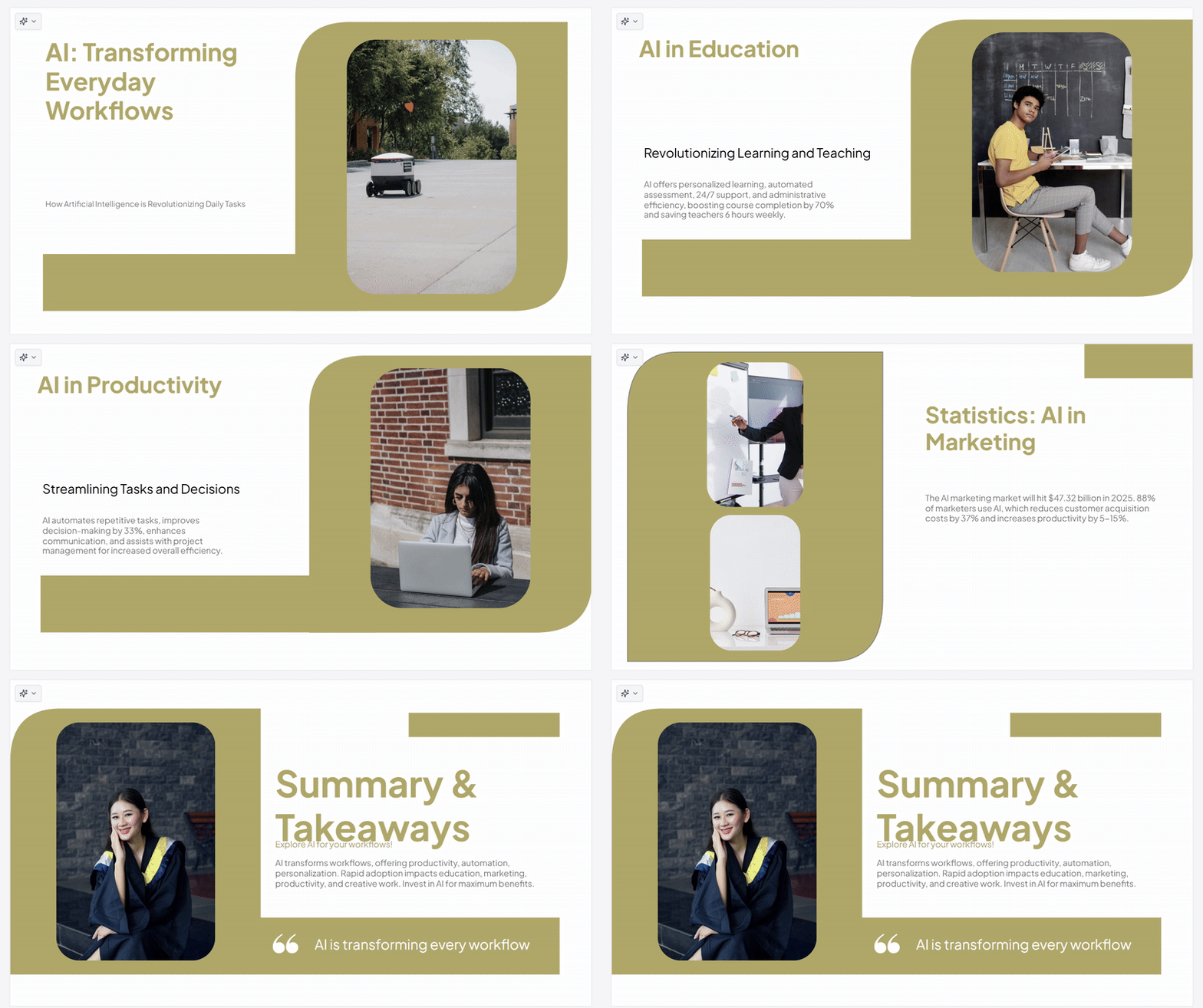
Once the presentation was built, the results were immediately usable. The slide text was clear, well-structured, and aligned with the academic tone we selected. Even more impressive was the way MagicSlides handled visuals. The tool automatically selected images that matched each slide’s content extremely well, not generic filler images, but visuals that actually supported the message of each slide.
Editing and Design Flexibility
One of the biggest advantages of MagicSlides is that nothing is final unless you want it
to be.
After generation, you can:
- edit all text directly inside the presentation
- replace or remove images
- adjust fonts, colors, and overall styling
- refine slide structure if needed
This makes MagicSlides feel more like a smart starting point rather than a locked AI output. You get speed and control — which is exactly what most people want from an AI productivity tool.
The design itself leans toward clean and modern, suitable for lectures, workshops, and professional presentations. While advanced designers might still tweak details, the default output is more than good enough for most real-world use cases.
What MagicSlides Is Best For
MagicSlides shines when you need to:
- quickly turn ideas or notes into a structured presentation
- prepare lectures or educational content
- create professional slides without spending time on layout and visuals
- get a strong first version that can be refined, not built from scratch
It’s especially useful for educators, students, consultants, and anyone who regularly works with presentations but doesn’t want design to slow them down.
Strengths and Limitations
MagicSlides’ biggest strength is how smoothly it combines structure, content, and visuals
into one flow. The ability to preview and edit text before generation, followed by full design control afterward, makes it feel thoughtful rather than rushed.
That said, highly custom or brand-heavy presentations may still require additional tweaking, and advanced animations or transitions aren’t the core focus here.
But for fast, clear, and professional decks, MagicSlides delivers exactly what it promises.
 Final Thoughts
MagicSlides doesn’t try to replace presentation skills — it accelerates them. It takes care of the
repetitive groundwork so you can focus on the message. With strong text generation, surprisingly accurate image selection, and flexible editing options, it’s a practical tool that fits naturally into real workflows. It’s a 4.5 on our LMAI scale!
For anyone tired of starting presentations from scratch, this is a genuinely helpful shortcut.