A few months ago, I noticed something interesting.
At family gatherings, nobody talks about apps anymore. Nobody asks about AI.
But when someone pulls out an old photo — suddenly the room goes quiet.
People lean in.
Stories start.
Names come back.
That’s when it clicked: old photos aren’t images — they’re time machines.
And it turns out, with the right AI tools, time machines can be a surprisingly good business.
The Opportunity Hidden in Plain Sight
Every town has drawers full of fading photos.
Weddings from the 1960s.
Parents who are no longer here.
Grandparents who only exist in black and white.
Older people don’t want to learn Photoshop. They don’t want to scan forums or tweak sliders. What they want is simple:
“Can you make this photo look alive again?”
That’s the opportunity.
Not global.
Not scalable to billions.
But local, human, and profitable.
Why AI Changes Everything
Ten years ago, restoring and colorizing photos required real technical skill. Today, AI does 90% of the work — if you know how to guide it.
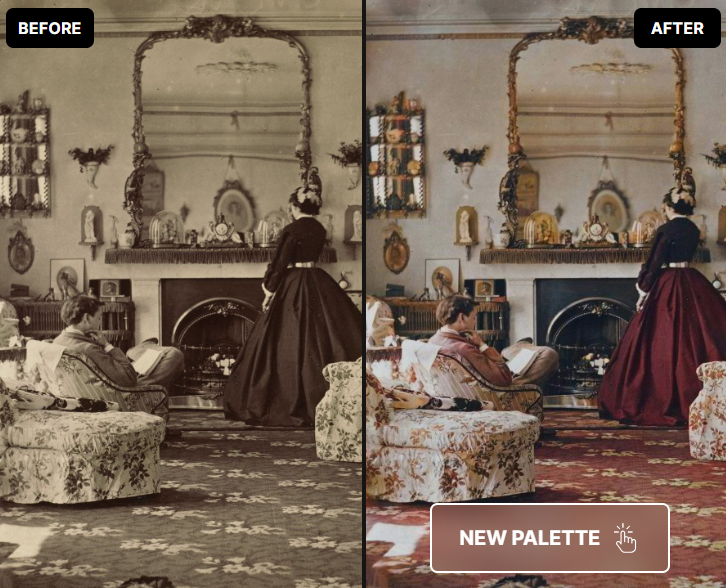
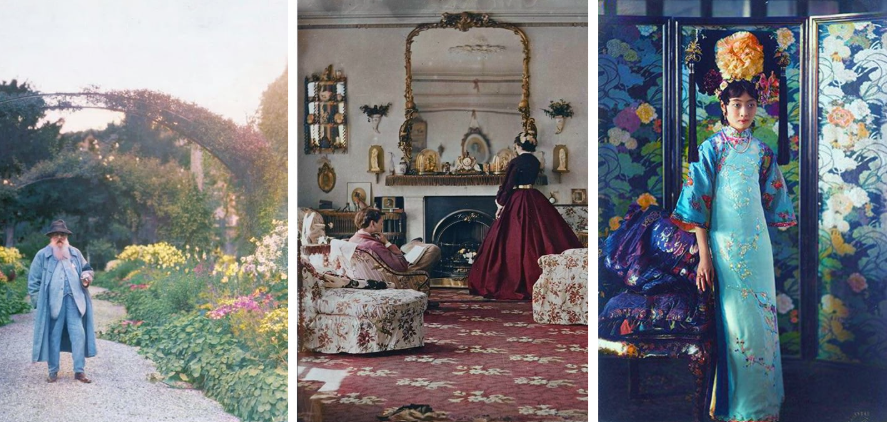
Tools like Palette.fm turn black-and-white photos into natural, believable color in minutes. You don’t need to be a designer. You don’t need to be an artist.
You just need taste, patience, and empathy.
That’s a great trade.
How I’d Turn This Into a Side Hustle
I wouldn’t start with a website. I wouldn’t run ads. I wouldn’t call it a “business.”
I’d start with a Facebook group.
Something humble and familiar, like “Old Photos of [Your Town] – Restored & Colorized.” The kind of group your aunt would join without thinking twice.
Inside the group, I’d post before-and-after examples. Not polished marketing. Just honest transformations. And I’d make one promise:
“I’ll restore and colorize one photo for free.”
One photo removes fear. It builds trust. It lets people experience the magic without risk.
Where the Money Actually Comes From
Here’s the funny part.
Nobody stops at one photo.
After seeing their parents or grandparents in color for the first time, people start digging. Shoe boxes appear. Albums come out. Suddenly there are 30 photos on the table.
That’s when you offer something simple:
A fixed-price package.
Not hourly rates. Not complicated negotiations. Just clear bundles: 10 photos, 25 photos, 50 photos.
You’re no longer selling AI work. You’re organizing memories.
And once you’ve done that, there’s a natural next step.
Turning Digital Files Into Something You Can Hold
Digital photos are nice.
Printed memories are powerful.
This is where you offer to organize the restored images into a small printed booklet. Chronological. Clean. Maybe with names or years if the family knows them.
It becomes a gift. Something to pass down. Something to leave on a coffee table.
And suddenly, what started as a free photo turns into something worth real money.
Why This Keeps Working
This kind of side hustle doesn’t grow because of algorithms.
It grows because people talk.
Someone shows the booklet to a neighbor.
A friend asks where it came from.
A family member wants the same thing done.
It’s slow, steady, and surprisingly resilient.
How the Actual Work Happens in Palette.fm
The workflow itself is simple, but it rewards care.
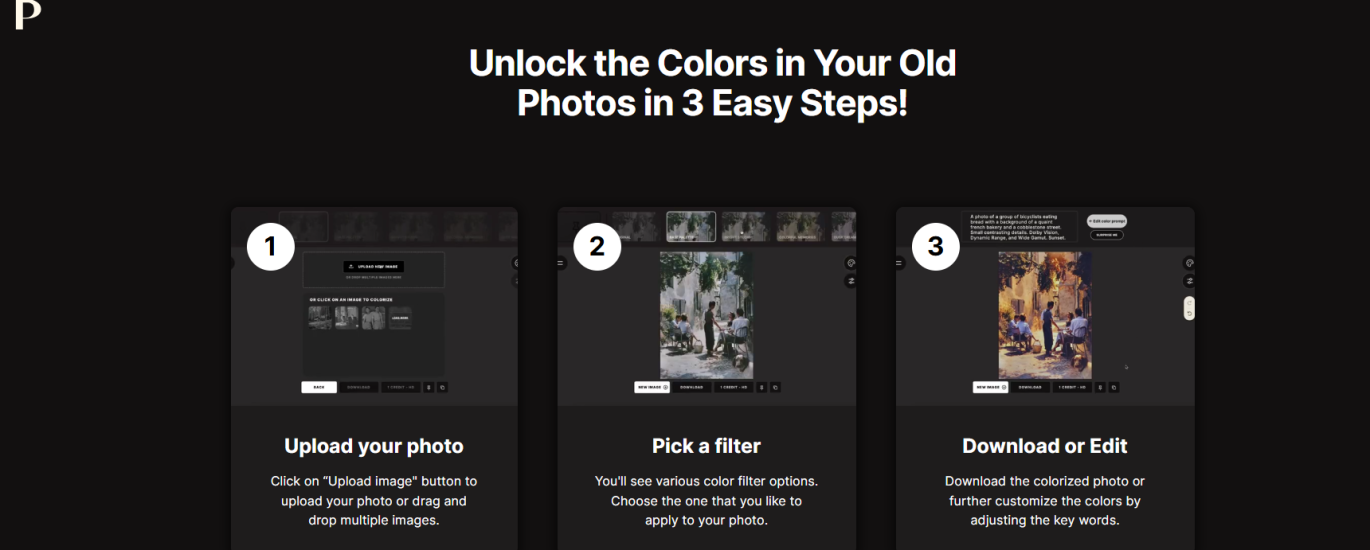
You start by scanning or photographing the original image at good quality. You upload it into Palette.fm and let the AI do its first pass.
It’s never perfect on the first try — and that’s okay.
You experiment with a few color styles, always aiming for realism rather than drama. You adjust skin tones gently. You avoid anything that feels “Instagram-filtered.”
The goal isn’t accuracy.
It’s recognition.
When someone says, “That looks like my mother,” you’ve done your job.
Once the image feels right, you export it in full resolution, organize it neatly, and send it back with a short message. Not technical. Not salesy.
Just human.
PART 2: Exact Step-by-Step in Palette.fm
Now the tactical part. No fluff.
Step 1: Prepare the Image
Before uploading:
Scan photos at 300–600 DPI
Save as JPG or PNG
Crop out borders if possible
Don’t over-edit beforehand
Palette works best with clean inputs.
Step 2: Upload to Palette.fm
Log into Palette.fm
Click Upload Image
Upload one photo (or batch if allowed by your plan)
Let the AI auto-analyze first.
Step 3: Choose the Right Color Model
Palette gives multiple colorization styles.
For older photos:
Start with “Natural”
Avoid overly saturated presets
Skin tones matter more than backgrounds
Pro tip:
Run 2–3 versions, then choose the most emotionally “real” one.
Step 4: Manual Refinement (Important)
Palette lets you:
Adjust skin tone warmth
Reduce color bleeding
Fine-tune contrast
Do NOT aim for perfection.
Aim for:
“That feels right.”
Older clients care about recognition, not accuracy.
Step 5: Fix Damage (Optional but Powerful)
If the image is torn, faded, or scratched:
First run a restoration / repair tool (if available in your workflow)
Then colorize in Palette
Colorizing after repair = much better results.
Step 6: Export High Resolution
Always export:
Full resolution
No watermark
Archive-ready quality
Create folders like:
/Family_Name/Colorized/Family_Name/Original
This makes you look professional instantly.
Step 7: Deliver Like a Pro
Send:
Before/after comparison
Short emotional message:
“I loved working on this one — the expressions are beautiful.”
Emotion > files.
Final Thought (Very Shaan Puri)
This isn’t a startup.
It’s better.
It’s:
Small
Profitable
Human
AI-powered
Impossible to automate away
You’re not competing with Silicon Valley.
You’re competing with time.
And you’re winning.