Most productivity tools promise to “save you time.”
Most don’t.
Atlas is different — not because it’s faster, but because it changes how you think about browsing.
Instead of being a place you visit websites, Atlas turns the browser into something closer to a thinking assistant that lives inside your workflow.
We tested it across research, writing, competitive analysis, and automation. Here’s what actually matters.
What Atlas Gets Right
- The Browser Finally Has Memory
This is the quiet breakthrough.
Atlas doesn’t just show you pages — it remembers what you looked at and why. Days later, you can ask questions like:
“What hiring trends did I research last week?”
“Pull the competitors I reviewed and summarize pricing.”
This replaces bookmarks, tab hoarding, and half-remembered Google searches with searchable context. That alone is a productivity upgrade.
- Summaries That Respect Your Time
Long articles. Dense reports. Corporate PDFs.
Atlas turns 20-minute reads into 30-second briefs — without leaving the page. No copy-paste. No switching tools. Just insight, immediately.
For knowledge workers, this is where hours quietly disappear — and where Atlas quietly gives them back.
- Automation That Actually Does the Work
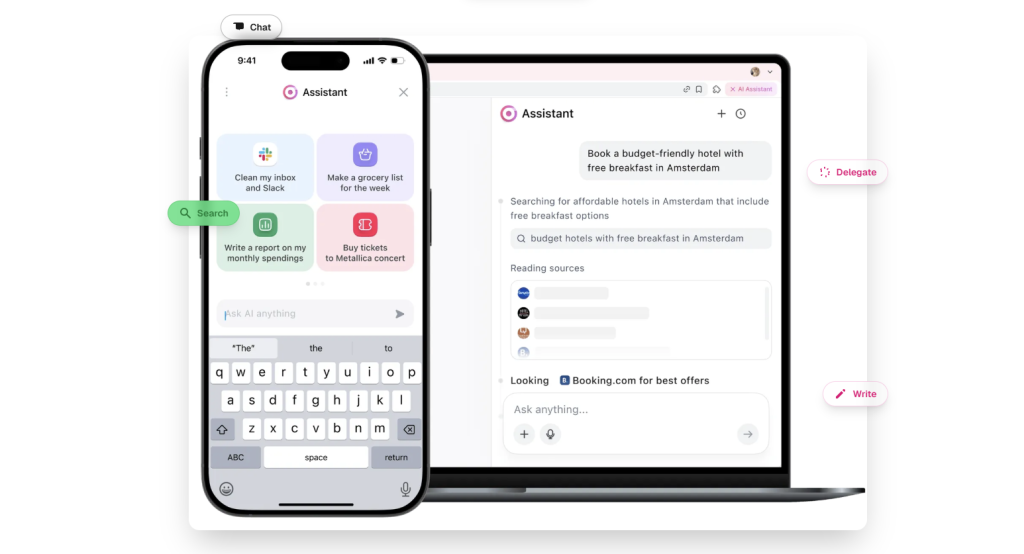
Agent mode lets Atlas click, scroll, fill forms, and collect data for you.
It’s not magic. It won’t replace judgment.
But for repeatable, boring, rule-based tasks, it’s a genuine time multiplier.
Think:
- competitor price scraping
- form-heavy research
- basic prospecting workflows
You supervise. Atlas executes.
Where Atlas Still Feels Early
Let’s be honest.
- The extensions ecosystem is thin
- Automation needs clear instructions
- Privacy controls require discipline
Atlas is not yet a full Chrome replacement. It’s a power tool, not a lifestyle browser.
But early products often show you the future before they perfect the present.
How Atlas Gives You an Edge at Work
Used casually, Atlas is nice.
Used intentionally, it’s unfair.
Here’s how top performers will use it:
- Turn Research Into a Living Memory
Stop bookmarking. Start asking your browser questions about your past thinking.
- Compress Time
Summarize everything. Compare instantly. Decide faster.
- Automate the Boring Stuff
Delegate the mechanical work so your brain stays on strategy.
- Write Where You Work
Draft, rewrite, and refine text directly inside tools — emails, docs, dashboards — without context switching.
The Bottom Line
Atlas isn’t just a browser upgrade.
It’s a workflow upgrade.
It won’t make bad thinking good — but it will make good thinkers much faster.
And in a world where speed compounds, that’s the edge that matters.