Welcome to our latest edition of the tech newsletter! This month, we’re diving into Murf AI, an innovative platform revolutionizing the world of text-to-speech (TTS) with its advanced AI capabilities. If you’ve ever needed a versatile, high-quality voice for your projects, Murf AI might just be the solution you’ve been searching for. Let’s explore its features, use cases, and provide a step-by-step guide to get you started. | ||
| ||
What is Murf AI? | ||
Murf AI is an AI-driven text-to-speech platform designed to create lifelike voiceovers for a variety of applications. Using sophisticated neural network algorithms, Murf AI offers a wide range of natural-sounding voices in multiple languages and accents. Whether you’re creating content for eLearning, marketing, podcasts, or any other medium, Murf AI provides the tools to generate professional-grade voiceovers with ease. | ||
Key Capabilities of Murf AI | ||
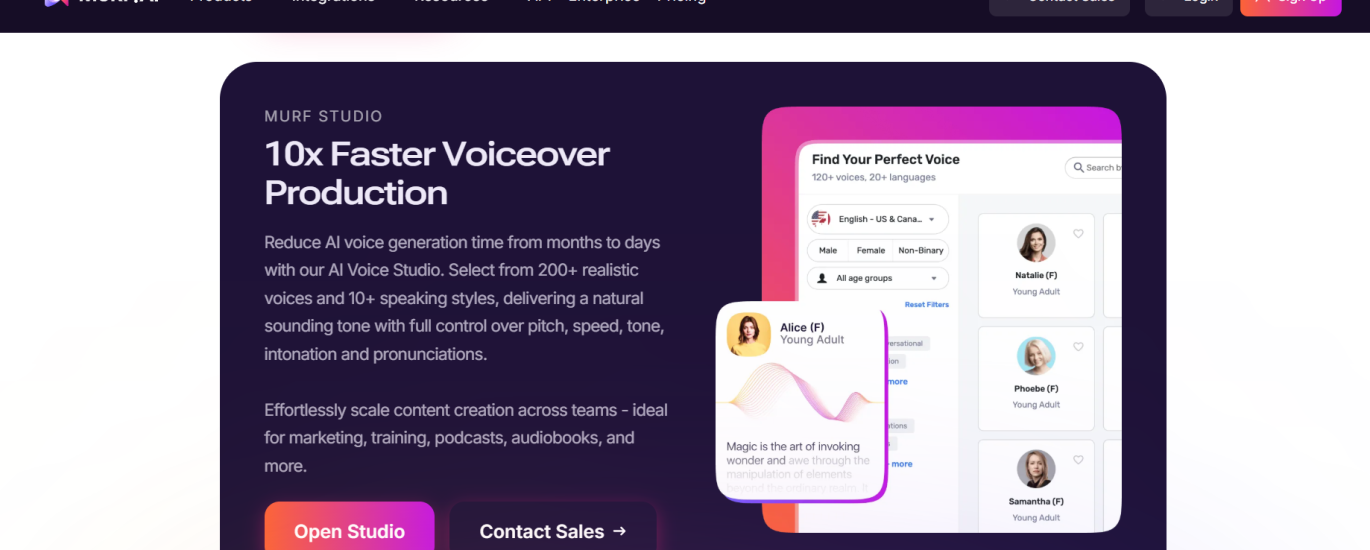
1. Natural Sounding Voices: Murf AI boasts a library of over 120 voices in 20+ languages, ensuring there’s a perfect fit for any project. | ||
2. Customization: Adjust pitch, speed, and emphasis to create the exact tone and delivery you need. | ||
3. Voice Cloning: Clone voices to maintain brand consistency or create unique character voices. | ||
4. Collaboration Tools: Easily collaborate with team members on projects within the platform. | ||
5. Background Music Integration: Add music and sound effects directly within Murf AI for a complete audio production experience. | ||
6. Script Templates: Access templates for common use cases to streamline the creation process. | ||
| ||
Use Cases for Murf AI | ||
– eLearning: Create engaging and professional voiceovers for educational content, enhancing the learning experience. | ||
– Marketing and Advertising: Produce compelling ads and promotional materials with high-quality voiceovers. | ||
– Podcasts and Audiobooks: Generate entire podcasts or audiobooks with consistent and clear narration. | ||
– Corporate Training: Develop training modules with professional narration to ensure clear communication and retention. | ||
– Gaming: Create character voices and narrations that bring your game’s storyline to life. | ||
Step-by-Step Guide to Using Murf AI | ||
Step 1: Sign Up and Log In | ||
– Visit Murf AI and sign up for an account. After verifying your email, log in to access the platform. | ||
Step 2: Start a New Project | ||
– Click on “Create New Project” and give your project a name. You’ll be directed to the project dashboard. | ||
Step 3: Enter Your Script | ||
– Type or paste your script into the text box. You can also import scripts from a document file. | ||
Step 4: Choose a Voice | ||
– Browse the extensive voice library and select the one that best fits your project. You can listen to samples to make your choice easier. | ||
Step 5: Customize Your Voiceover | ||
– Adjust parameters like pitch, speed, and emphasis to fine-tune the voiceover. You can also use the “Pronunciation” tool to ensure specific words are pronounced correctly. | ||
Step 6: Add Background Music (Optional) | ||
– If your project requires background music or sound effects, you can upload your audio files and adjust their volume and timing to match the voiceover. | ||
Step 7: Preview and Edit | ||
– Click on “Preview” to listen to your voiceover. Make any necessary adjustments to the script or voice settings until you’re satisfied with the result. | ||
Step 8: Export Your Voiceover | ||
– Once you’re happy with your project, click “Export” to download the final audio file in your desired format (MP3, WAV, etc.). | ||
Step 9: Share or Integrate | ||
– Use your voiceover in your projects, whether it’s a video, presentation, podcast, or any other medium. You can also share the project with team members directly from Murf AI. | ||
Conclusion | ||
Murf AI is a game-changer in the text-to-speech landscape, offering supreme voice quality and customization options. Murf AI has a free version that can help you produce professional voiceovers quickly and efficiently, for free. If you like it, paid versions start from $19/mo. Try Murf AI today and bring your projects to life with the power of AI-driven voice technology. We give Murf AI 4/5 on LMAI list. | ||
Happy creating! |


About the Author